
Case Study · 03
OMAS
A day service in Lymm whose website had to be read by three very different people at once.
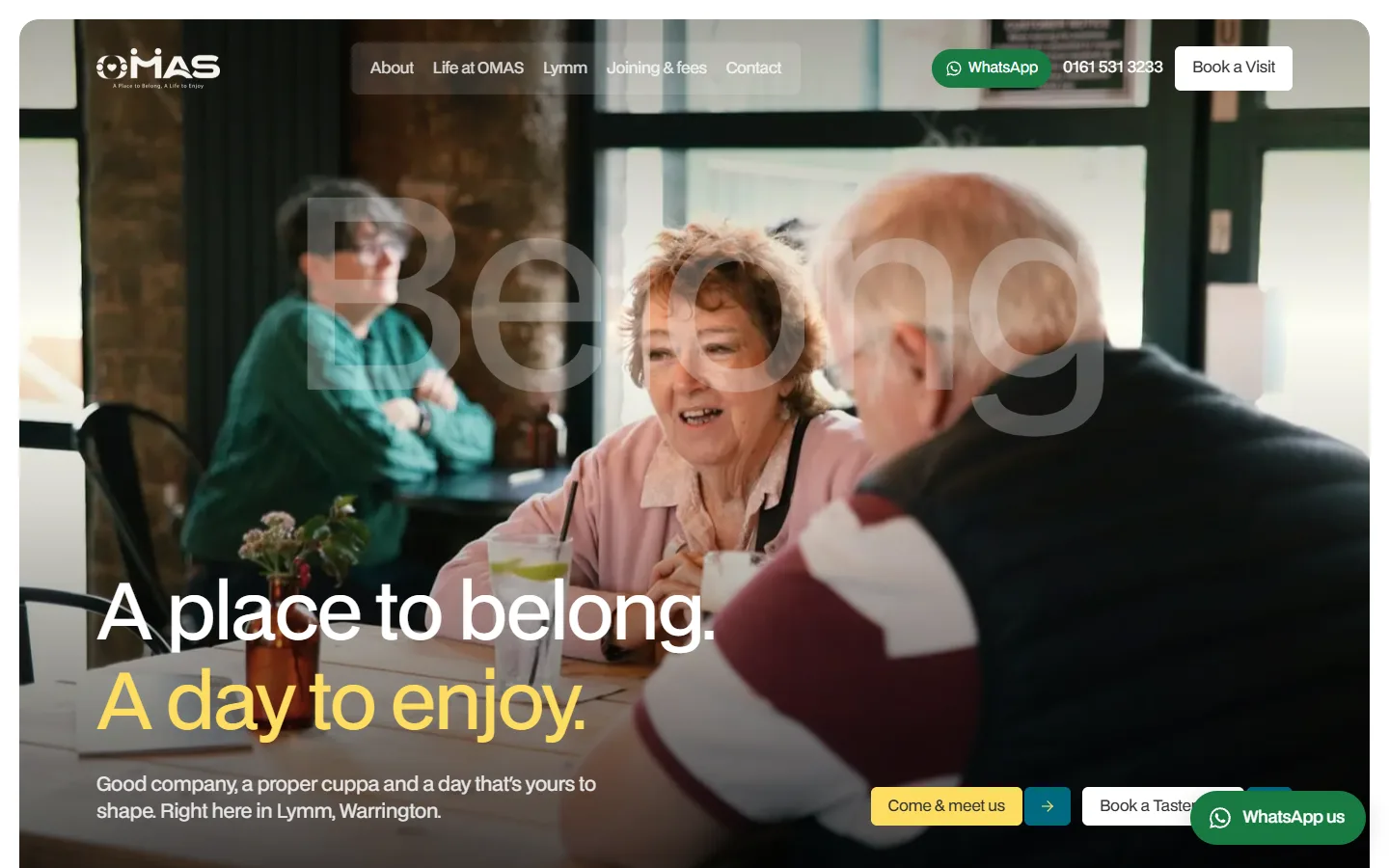
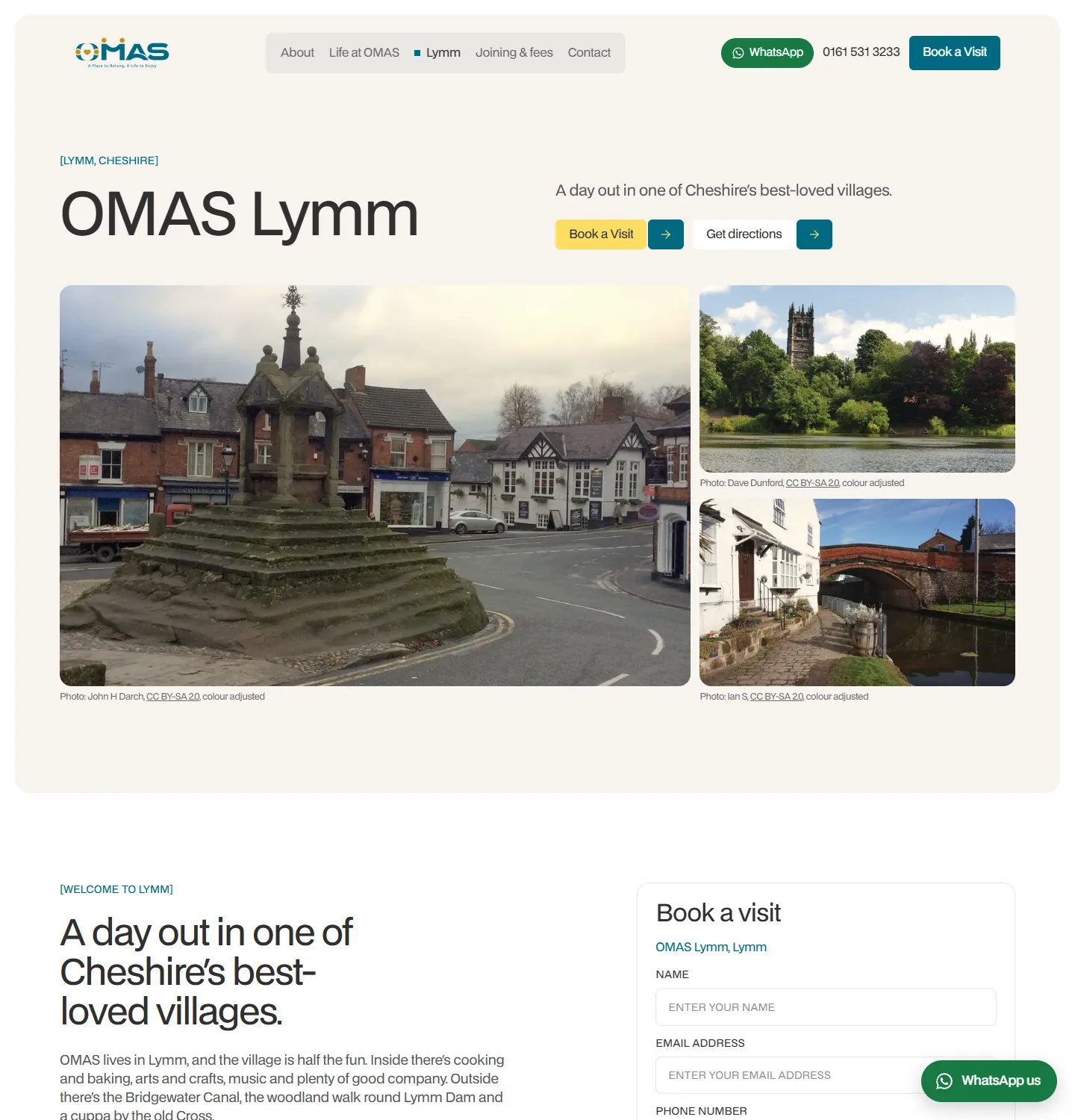
The homepage. Good company, a proper cuppa and Lymm, said before anyone scrolls, with WhatsApp one tap away.
Stack
- Next.js 16 — standalone Node server
- React 19 + TypeScript
- GSAP + Lenis, off under reduced motion
- Self-hosted BDO Grotesk
- JSON file storage — no database
- scrypt logins with role separation
- Nodemailer over SMTP
- nginx + systemd on shared EC2
- Health-checked releases with rollback
Delivered
- Full redesign and rebuild
- Book a visit, taster day and referral flows
- Visit calendar run from the admin
- Weekly timetable editor
- Enquiry inbox with notes, status and CSV export
- Review capture with publish consent
- Per-page SEO overrides and redirects
- Lymm village page with credited photography
- Privacy, terms, complaints and accessibility pages
- llms.txt summary for AI answer engines
Who came to us, and what they were up against
OMAS is a day opportunities service in Lymm, Warrington. Older adults and adults with learning disabilities, autism and additional needs spend the day together: cooking lunch, music, the garden group, a walk round Lymm Dam. It is run by the same family behind True Care 247, the home care provider in our second case study, and it is built on a simple idea: not a day centre you are sent to, but a place you want to go.
A first version of the site already existed, and the client did not like it. It looked like every other day service online, and it did not move anybody to pick up the phone. The brief was to replace the visual world entirely, keep the logo, and make the site do one job: get people to book a visit, book a taster day or make a referral.
Three readers, and none of them could be second
Most care websites are written for one reader. This one has three, weighted equally. A daughter comparing day services for her father, anxious and short of time. The person who would actually attend, who may be in their eighties or may have a learning disability, reading for themselves or with a helper. And a social worker or care coordinator who needs the process, the fees and the referral route in under a minute.
So body text never drops below 18 pixels, and the words are plain British English spoken to 'you': a cuppa, a laugh over lunch, a day that is yours to shape. Funding is named outright, from self-funding to Direct Payments, Personal Budgets and local authority places. And every page ends in one of the three actions. There is no dead end anywhere on the site, because a reader who reaches the bottom of a page and finds nothing to do next is a reader who closes the tab.
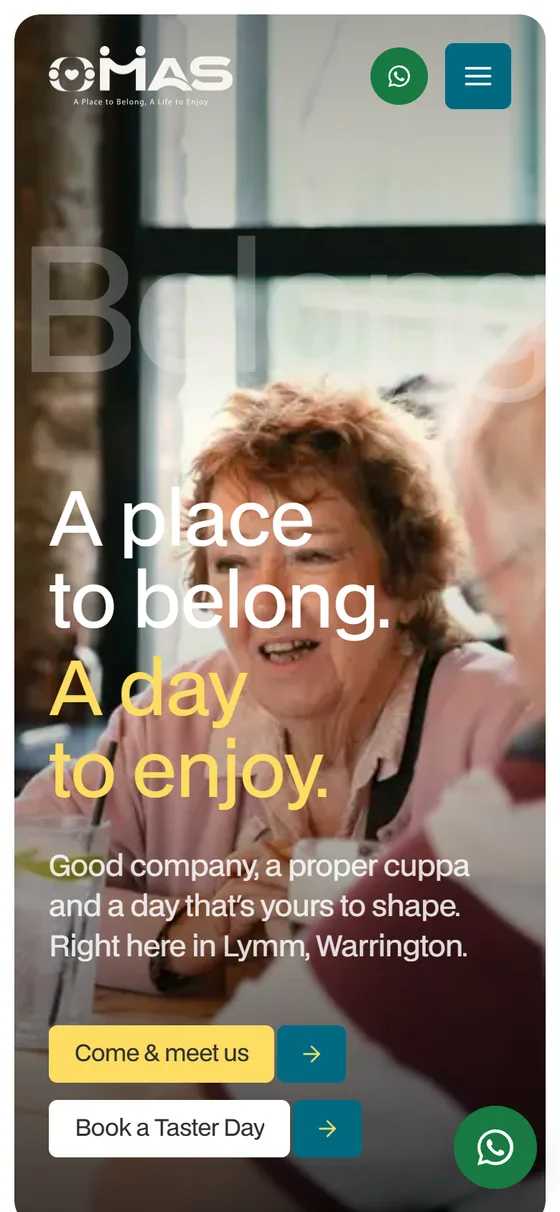
WhatsApp is on screen on every page, with a friendly first line already typed. For a lot of families that is the most natural way to ask a question, and for some attendees it is far easier than a form.
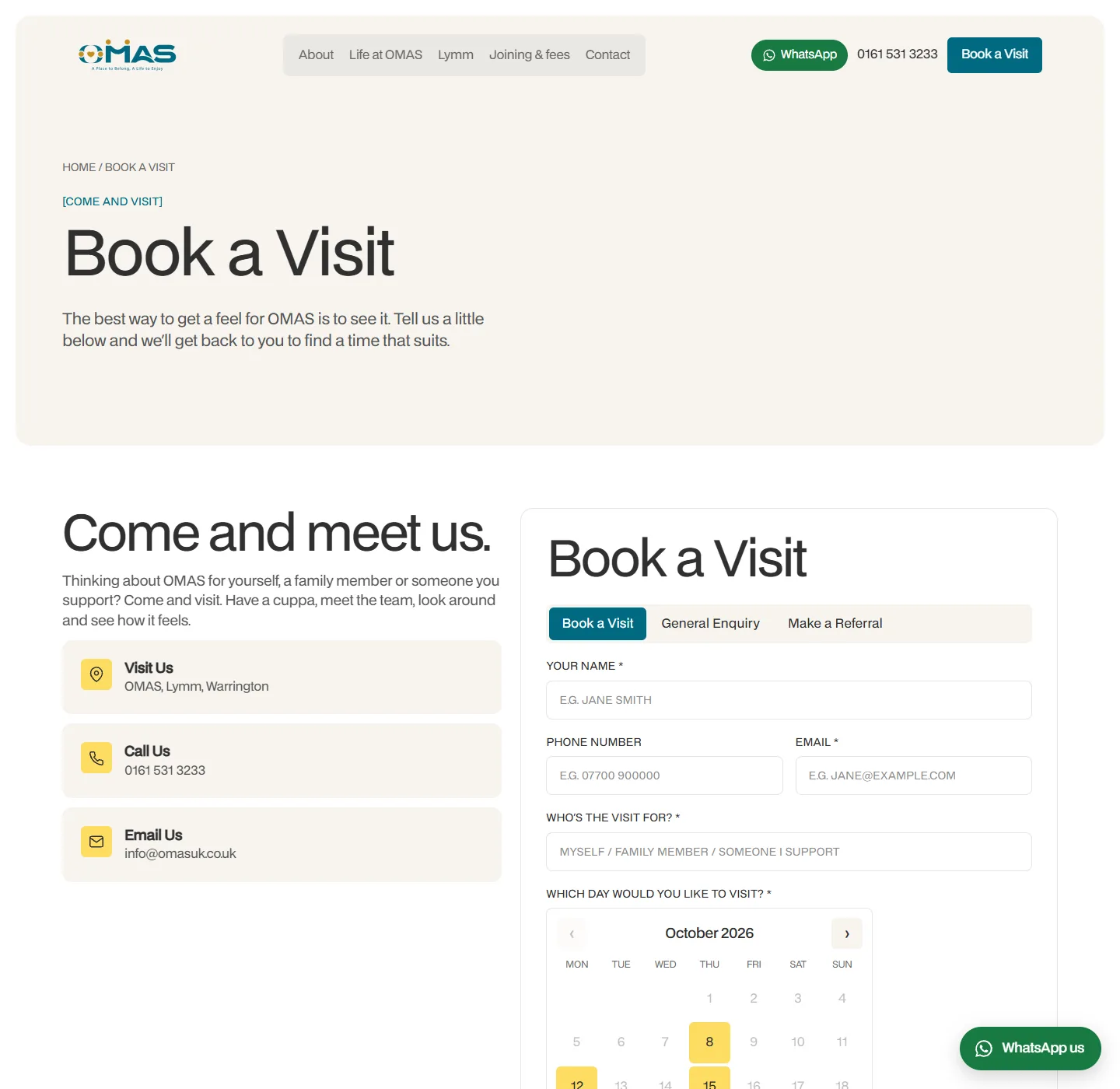
Why the visit form never says 'booked'
The team asked for a calendar on the Book a visit form: which months are open, which weekdays, which times, which bank holidays are closed. All of it is set from the admin and goes live the moment it is published. The date rules live in one file that the browser and the server both load, so the calendar a visitor clicks and the check the server runs cannot drift apart.
The awkward part was the reply. A day service cannot confirm a visit automatically, because whether there is room depends on who is in that day and what support they need. So the email a visitor gets back is written by the team and says plainly that it is not a confirmed booking yet, and that someone will be in touch. It is less satisfying than an instant confirmation, and it is honest.
That email is also locked down. Only the team's own words, a date the server has parsed and a time from the team's own list go into it. Nothing a visitor types is sent to the address they typed, so the form cannot be turned into a way to send strangers arbitrary text from the OMAS mailbox.
Handing the week to the people who run it
The original site was a static export with forms falling back to mailto links. Every enquiry depended on the visitor's own mail app working, and nobody at OMAS could change a word without a developer. We moved it to a small Node server so the forms and an admin console could live on the same site, modelled on the one we had built for True Care 247.
Every form posts to one endpoint. The enquiry is written to disk first and emailed second, so a mail outage never loses one; it just appears in the inbox flagged as not emailed. The team sets a status, adds notes, and exports the lot to a spreadsheet when they need to. The Monday to Friday timetable on the home and activities pages is edited in the admin too, and published straight to the site.
Roles came out of the data. An enquiry about a day service often describes someone's support needs, which is special category data under UK GDPR. So staff and the owner can read enquiries, and a marketing role can edit reviews and search listings and nothing else. The check is enforced in the API routes, not just in the menu.
“A form that says 'booked' before anyone has checked the room is a promise the office then has to break.”
Saying only what is true
OMAS is new, and a new service has very little proof to show. The temptation is to fill the gap. We did not. The short quotes on the home page are written as what each reader should come away feeling, and are never labelled as testimonials. Real reviews arrive through a share-your-experience page, carry a separate permission tick, and only appear on the site once the team approves them. Any number that counts up on screen counts a real fact, such as days or steps, never an invented one.
The same goes for the pictures. The founders and their son are in their own family photographs. The day-to-day photography is licensed, most of it from the Centre for Ageing Better and Age Cymru libraries, which show real older people in the UK rather than models, all given one colour grade so they sit together. The Lymm village photographs are real Lymm, from Wikimedia Commons, and each one prints its photographer and licence underneath, because the licence asks for exactly that.
Where a detail is not ready, the site does not pretend. The full street address is held back until OMAS confirms it, and the social icons stay hidden until the accounts exist, rather than shipping links that go nowhere.
The decisions we made, and why
There is no database. Enquiries, reviews, the timetable, the visit calendar and the search settings are each one JSON file in a data folder outside the release. Writes go to a temporary file and are renamed into place, so a crash can never leave half a file, and each file has its own queue so two requests cannot overwrite each other. For a day service taking hundreds of enquiries a year that is plenty, and the upgrade path is written into the code for the day it is not.
The site is built against an empty data folder. That sounds fussy until you picture the alternative: a test enquiry or a half-finished review from a developer's laptop quietly baked into the live pages.
The motion is generous, and none of it is load-bearing. Headlines rise in, statements fill with colour as you read, and a ghost word drifts across the hero photograph. All of it switches off under reduced motion and leaves the finished page behind, because for this audience a page that only reads correctly once an animation finishes is a page some readers will never see.
Deploys taught us something too. The release script once swapped the live site onto a half-uploaded release, because in a shell script a failed step inside a chain of commands does not stop the script the way you expect. It now does one step per line, refuses to go live if the upload is incomplete, asks the new release for a page before trusting it, and rolls back on its own if it does not answer. It builds on our side, too, because the server it shares with two other client sites is far too small to build on.
What it looks like now
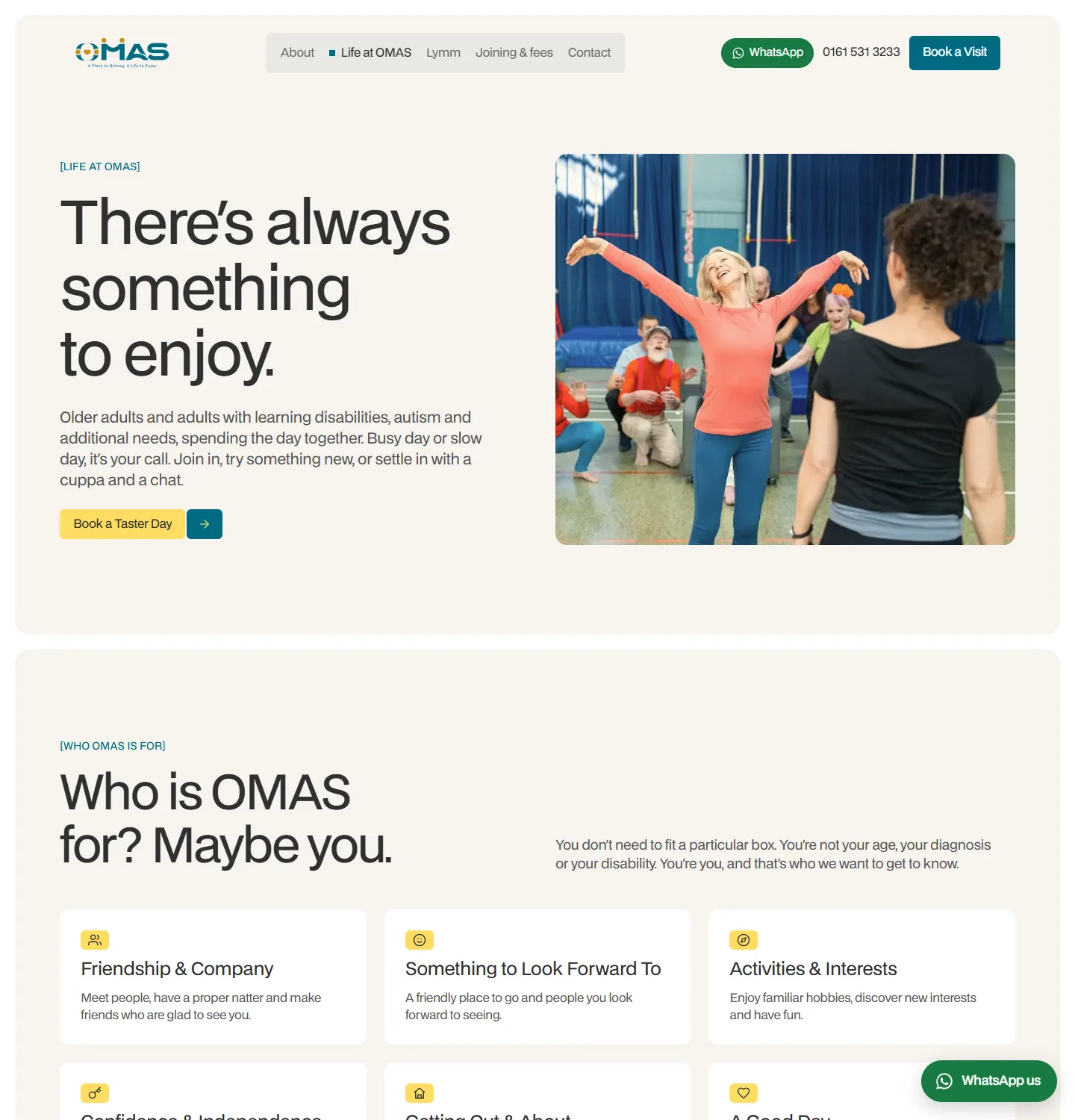
Six tabs and no more: Home, About, Life at OMAS, Lymm, Joining and fees, and Contact, with Book a visit always in the corner. The home page and Life at OMAS show the week day by day, straight from the timetable the team keeps in the admin. Visitors can mark the activities they like the look of, and those favourites are carried into the taster day form so nobody has to type them again.
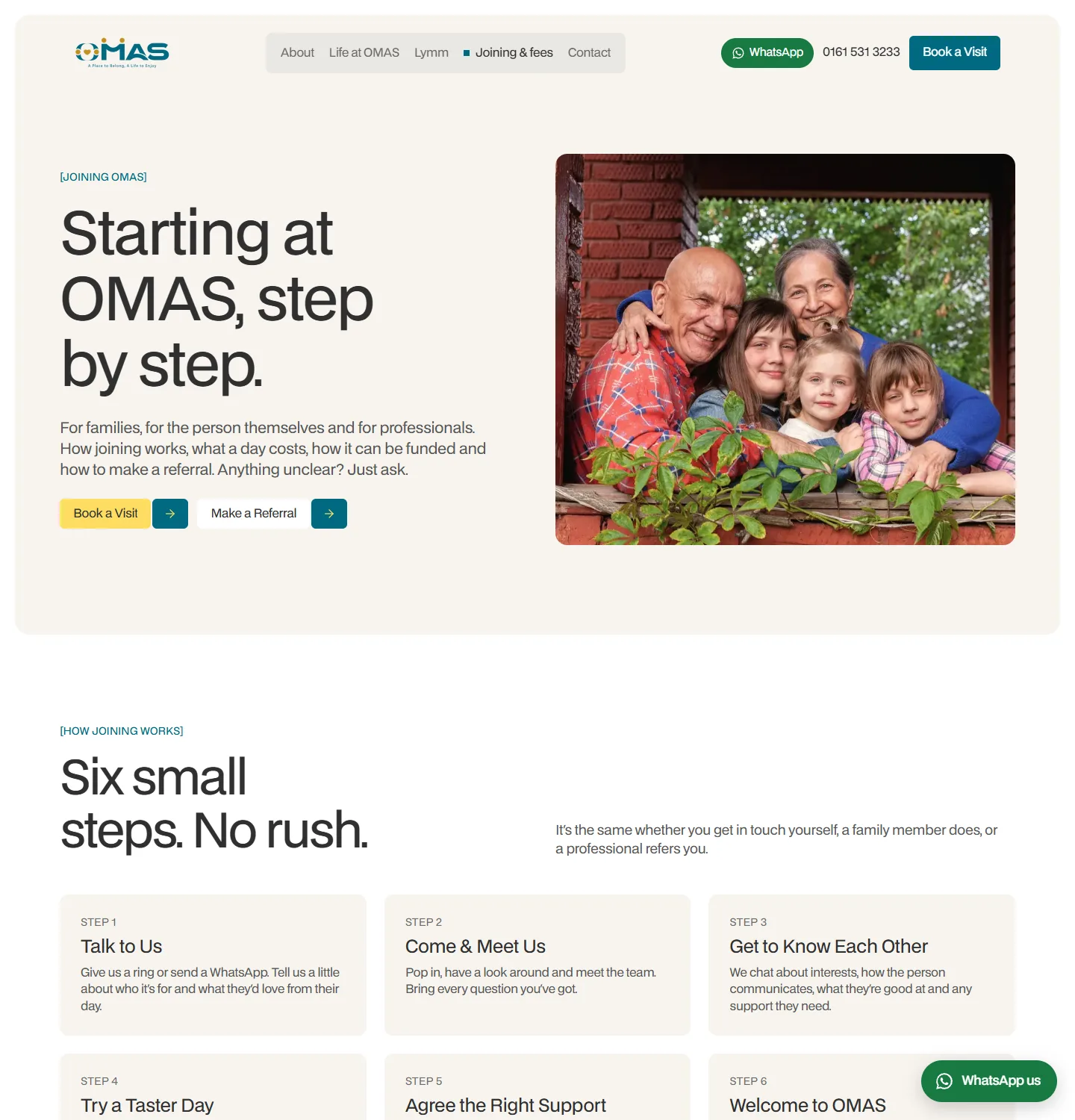
Joining explains the whole route in six numbered steps, then the fees, the funding options and the referral questions on the same page. The Book a visit form has tabs for a visit, a general question and a referral, and the referral tab asks the same questions as the referral page, so a social worker gets the same form wherever they start.
Behind it: an enquiry inbox, a visit calendar, a timetable editor, a review queue, per-page search titles and descriptions with a redirect map, and a plain-text summary of the service for AI assistants and answer engines. Privacy, terms, complaints and accessibility pages are written to match.
What we would tell the next client like this
Write for the most careful reader and everyone else benefits. Large type, plain words and one clear next step were chosen for older adults and people with learning disabilities. They made the site faster to use for the busy daughter and the social worker too.
And resist the urge to look established before you are. A new service with an honest site, real photographs and an empty review section that fills up properly will be trusted sooner than one that borrows its credibility. The gaps close on their own. The invented claims have to be taken down one by one.
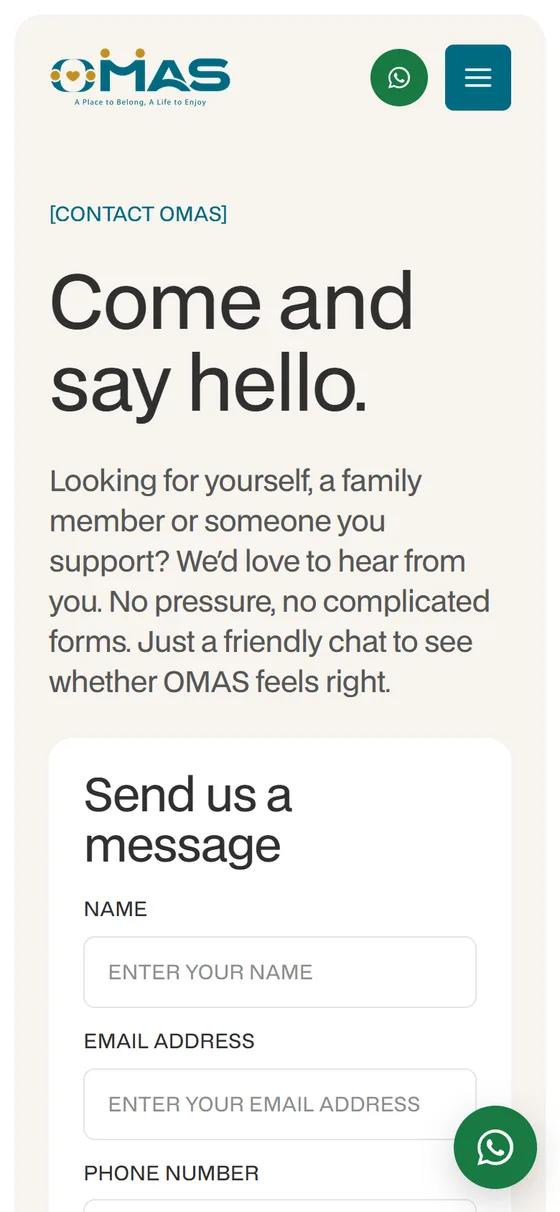
On a phone
Where the decision actually happens.
Ready to start?
Let's build something
that lasts.
Whether you're modernising infrastructure, training your team, or re-thinking your analytics strategy — we'll show you how.
43+
Clients
99%
On-time delivery
ISO
9001
Certified