
Flagship · Newly Launched
QikAnalytix
A leadership dashboard in five clicks, with a built-in AI analyst. Your data never leaves your PC.
QikAnalytix is desktop analytics for the people who do the reporting. Load a file or connect a database, clean it in one click, get the charts automatically or ask VizBOT for them, apply your brand, and present to leadership. No code and no cloud — the application runs on your PC, offline, and so does your data.
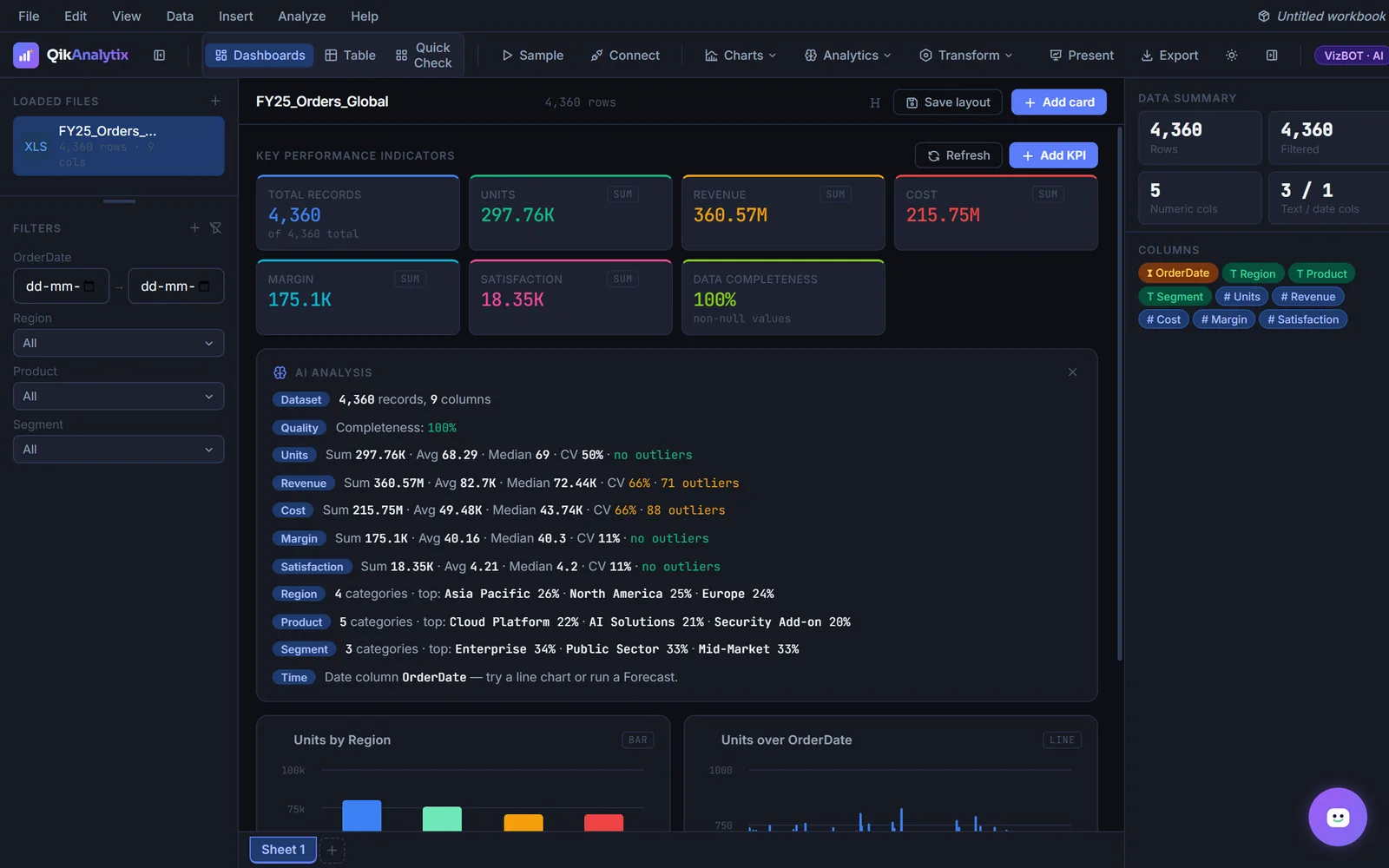
Load a file and QikAnalytix profiles it — KPIs, outliers and column types, before you build a thing.
Product Film
See QikAnalytix in action.
What it does
Built around the work you actually do.
Connect to your data
Drag in a CSV or Excel file, or connect straight to SQL Server, PostgreSQL, a REST API, Google Sheets, SharePoint or ODBC. Column types are detected automatically and several sources can be open at once.
VizBOT, the built-in AI analyst
Ask which region has the highest revenue and VizBOT works out the answer from your rows, with the numbers — or tell it to build a chart or filter the board. It runs offline, with no API key or subscription.
Clean, chart, brand, present
One scan finds and fixes empty cells, duplicates and numbers stored as text. Auto Charts picks from 22 chart types, a Brand Kit applies your colours and logo, and Present turns the board into a full-screen deck or a PDF and PowerPoint pack.
Data model and ETL, no code
Link orders, customers and products from separate sources in a visual model, tidy them with recorded point-and-click steps, and define measures once for every dashboard and report.
Slicers and filters
Every categorical column becomes a slicer. Filtering updates every chart, KPI and table on the canvas in real time.
Runs offline
No backend server and no cloud account. The application installs as a Windows executable and activates against an offline licence key.
Your data stays local
Because there is no server, your spreadsheet is never uploaded anywhere. For teams handling commercially sensitive data, that is the whole argument.
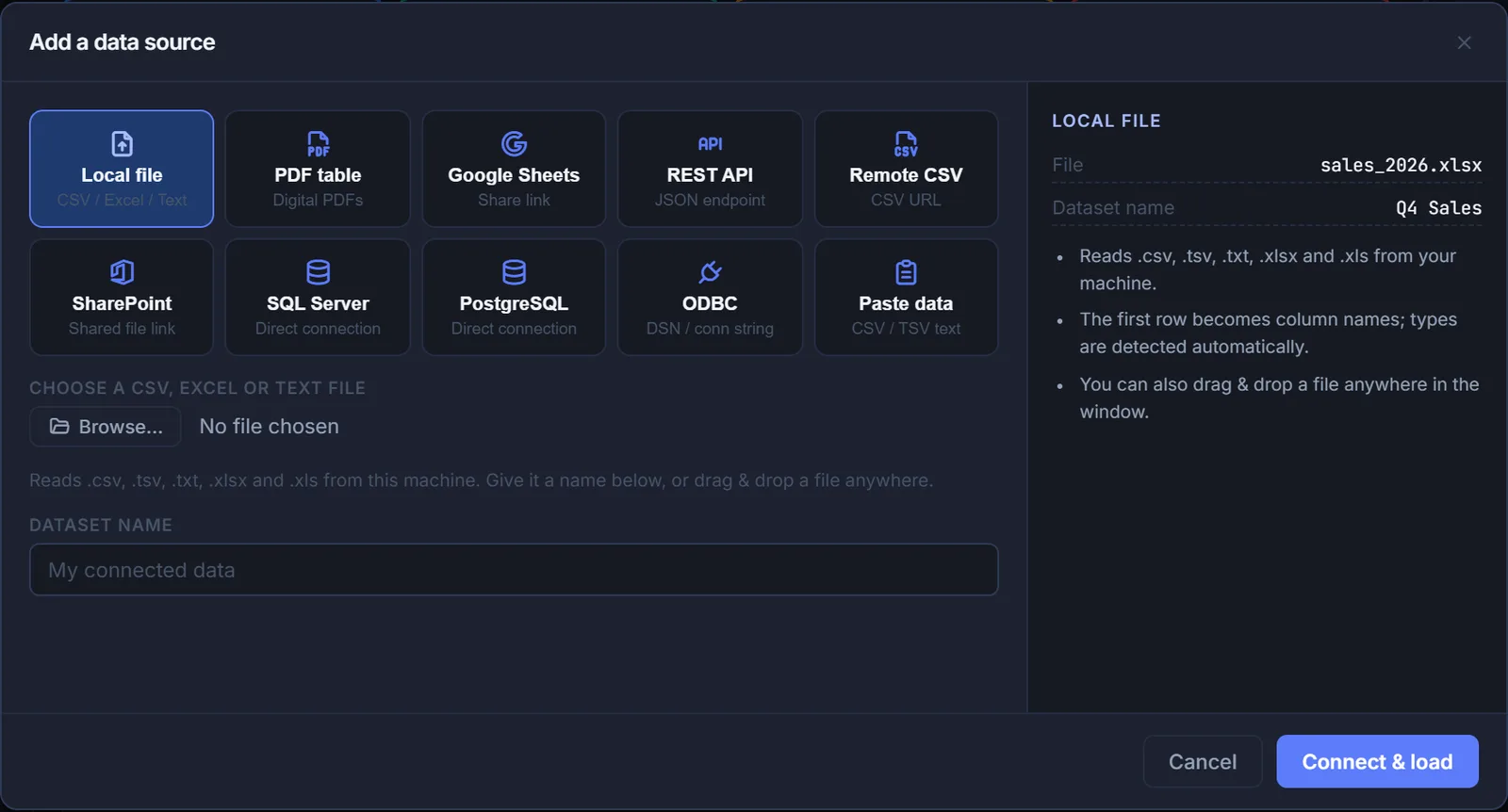
Connect to your data
Drag in a CSV or Excel file, or connect straight to SQL Server, PostgreSQL, a REST API, Google Sheets, SharePoint or ODBC. Column types are detected automatically and several sources can be open at once.
Files are only the start — SQL Server, PostgreSQL, REST APIs, Google Sheets and ODBC connect directly.
VizBOT, the built-in AI analyst
Ask which region has the highest revenue and VizBOT works out the answer from your rows, with the numbers — or tell it to build a chart or filter the board. It runs offline, with no API key or subscription.
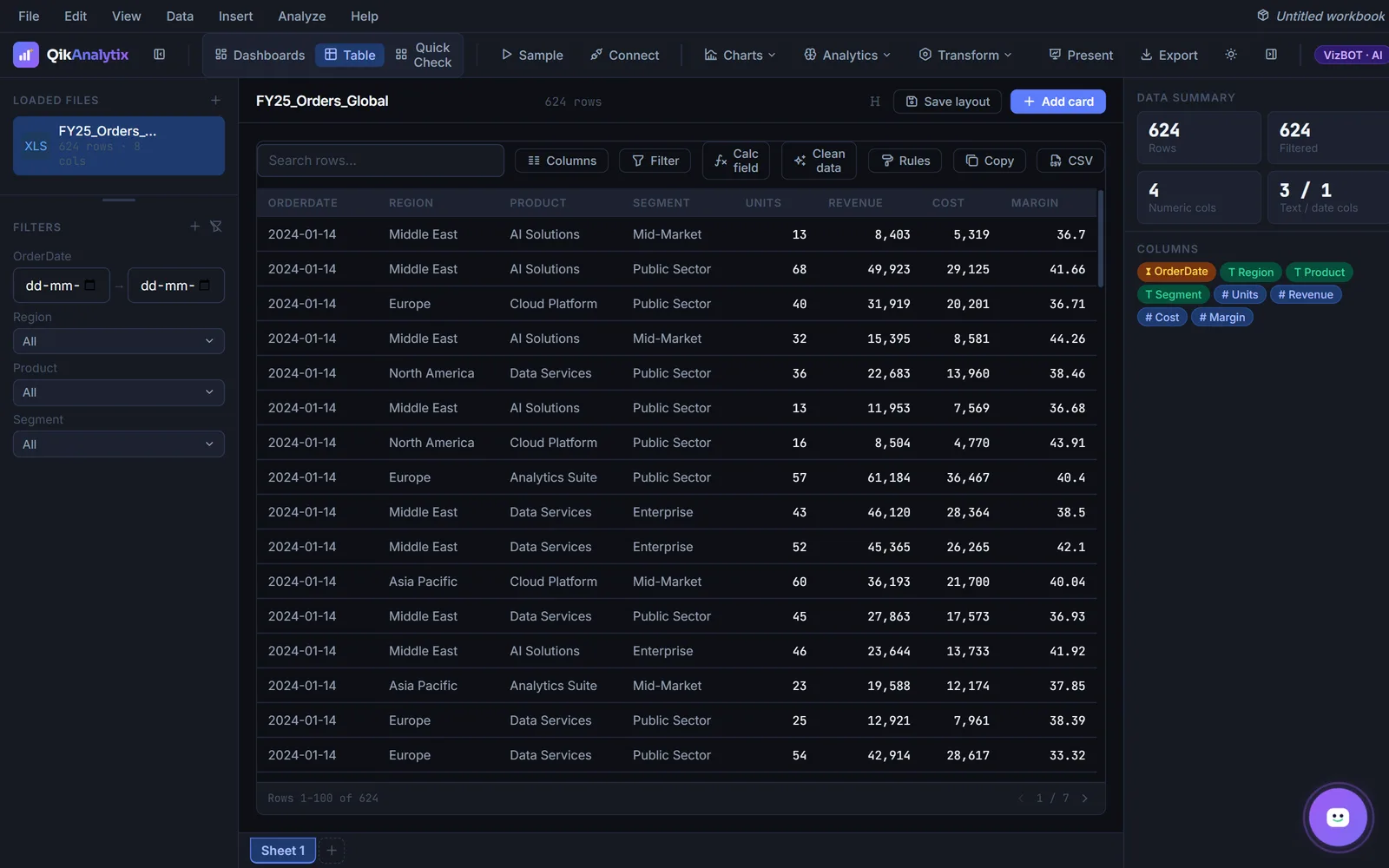
The grid, with filters, calculated fields and cleaning tools beside it.
Who it's for
Made for the people who run it.
Analysts handling sensitive data
Finance, healthcare and legal teams who cannot upload a client spreadsheet to a cloud BI tool.
Teams without a data warehouse
If your reporting starts from files rather than a warehouse, this meets the data where it already is.
People who want charts, not a project
No modelling layer to learn first. Load the file and ask for the chart.
Free Download
The QikAnalytix brochure.
Enter your details and the PDF downloads immediately.
Questions
About QikAnalytix.
No. It is a desktop application, packaged as a Windows installer. There is no backend server, no account to create and no data upload. This is a deliberate design decision, not a limitation.
Your data stays on your machine. The application has no server to send it to.
An AI analyst built into the application. Ask a question in plain English and it computes the answer from the rows you are looking at, or tell it to build a chart or filter the board. It works offline with no API key. Optionally you can plug in your own Anthropic Claude key for open-ended conversation — only your question, column names and summaries are sent, never data rows.
Local CSV, XLSX and XLS files, and tables extracted from PDFs. It also connects directly to SQL Server, PostgreSQL, ODBC sources, REST APIs, Google Sheets, SharePoint and remote CSV URLs. Column types are detected automatically on load.
Through an offline licence key activated on the machine. Contact us for licensing options for teams.

Ready to start?
Let's build something
that lasts.
Whether you're modernising infrastructure, training your team, or re-thinking your analytics strategy — we'll show you how.
43+
Clients
99%
On-time delivery
ISO
9001
Certified